Tuesday, October 29, 2013

My Samsung Galaxy Note 2 Review


The Samsung Galaxy Note 2 Review

Today I will review my Samsung Galaxy Note 2.  This unit was from SUN Cellular's Data plan P2,499.  With the addition of a thousand bucks and this unit will be mine after 30 months.  Anyway, the reason that I am getting the plan is for business use. The good thing about the plan is that it can call free landline calls and also have an unlimited data plan.  So here goes the review.

Screen and Size
The Samsung Galaxy Note 2 is quite incredible to look at.  It is a huge phone with a 5.5 inch AMOLED screen. This simply means that you can view more detail in every picture, text, video that you can play with this baby.  The Note 2 simply is an elegant device to put on the table while you are having a meeting with somebody.  No doubt that it can attract attention especially when the screen turns on if a text message or an email arrives.  The good thing about having a big screen is that it is very pleasurable to view videos and has a larger perspective of the pictures taken from its camera.  The Galaxy Note 2 is quite annoying when you operate it with only one hand. I often get false touches causing you to lose focus to whatever you are doing.  The screen is stretched out up to the side edges so a small overlapping finger would definitely trigger a tap.  But nonetheless the viewing experience is very good.  Good thing I have a large grip but there were times that I dropped the phone on the sofa while holding it with a single hand.

Network
The SUN Cellular Network is not that advanced compared to other providers like Smart and Globe. I think it was just recent that they upgraded their mobile internet into HSDPA. This is because previously, I always get a GPRS and EDGE signal from my past Prepaid SIM Card. It was just now that I am experiencing fast HSDPA speeds using SUN Cellular Network.  Well of course, that is my own opinion. For those who are already enjoying SUN's Mobile Internet then you do the talking.  As for now I often get EDGE signal from my screen and it is more than sometimes.  But when I get to have an HSDPA signal then I can send and receive emails fast.  Even downloading is quite fast. But since I always travel going from a part of the city to the next then the signal is really annoying.  There were these times where I cannot be reached by some of my contacts and wonder why this is happening when I am always on a full GSM Bar.  I called up SUN Customer Service and they told me that this sometimes happen to Galaxy Note 2 units.  They said that I should turn-off the WCDMA function in the setting in order to be reached.  This I did not agree, as what is the purpose of having an unlimited internet connection if you turn it off?  Anyways, that happened only twice and it usually happens when I am in the province which adds up the province's limited network capability.  So overall the Network experience using the Note 2 is not that nice.  Of course there could be a different story when you are using Globe or Smart. So I won't be the judge of that.

Processor
The Note 2's processor is 1.6GHz Quad-Core.  My comment on this is that is quite fast for a cellular phone to have.  It has almost the same processor speed as compared with my Intel i3 Laptop.  I have seen this video on Youtube where this guy actually used his Note 2 as a personal computer. No wonder, this baby has lots of juice, sometimes I think that it is overpowered as to where the rest of the resources will go. Based on the performance of the processor I have only one problem with it.  When I attach pictures to emails or in facebook it takes time to load the picture thumbnails on the process of selecting one.  I don't know if it's the processor's fault or the file allocation of the built-in memory or it might be that I am using a crappy SD Card.  If Samsung can improve this then it would be a perfect device in terms of performance.  I am not into playing games with the Note 2 as my apps are the boring ones like Unit Converter, VidTrim, Zinio, and Kindle.  I am not the gamer type so please forgive me for not including the games in this review.

Operating System
The Operating System is an Android 4.1 (Jellybean).  The system is very nice with the default home screen and the default Samsung system apps.  That is why I added extra skin on it with the use of GoLauncher and other alternate moving wallpaper to make it quite appealing to the onlookers.  If you want to improve your user interface then try looking Coldfustion in Youtube.  Actually this is my third Android Device so I am somewhat familiar with the interface.  I have been using Apple iPod Touch for years already and sometimes I find some functions in the iOS not present in the Android system.  It's like having a hangover over drinking apple juice the night before.  But overall the Android system is quite useful rather than visually appealing.  Apple is apple while Google is google.  It's like comparing a Ferrari with a Porche, the one is good looking while the other is ugly.  The feel and look of Android is nothing compared to Apple but the functionality is quite endless.  What I really love about the Android system is that there are more free apps and it is very flexible. The Play Store does not require credit card details for you to download apps and the data transfer from PC to your phone is just like a cut and paste function on a USB thumb drive.  What's even good is that all movies, videos, music files are viewable under the Android system. Only the .MOV cannot be played but the rest is no problem. No conversions needed and no waste of time and money.  Overall, the Android Jellybean makes me a happy man.

GPS
One app that I always use is the Map.  But sorry to say that the built-in GPS sometimes misses the exact location to where I am standing.  Maybe because of the slow cellular network that is aiding the GPS receiver or the GPS receiver itself.  But overall, I use this as secondary to my Garmin.  It is easier to navigate with the Note 2 because of the more responsive Google Map.  Another downside is it does not display all the alternate routes at the same map displayed giving you just one choice of route when travelling.  I hope that I just haven't discovered it yet or I hope that Google will add this up to their next update of their Google Maps.

The S Pen
This device actually replaced my small sterling notebook. This can accept handwriting as if I am using a Pilot ballpoint pen.  It is good in responding to hand writing.  But there were times when it lags especially when a lot of programs are opened in the background. Also there is a problem with the touch back button as it is oftentimes pressed when using the Note 2 on portrait mode while I am writing something.

Battery Life
The Galaxy Note 2 is a combination of a phone and a tablet. And due to this it enjoys an energy source same as a tablet.  With my normal daily activity: Evernote Note Taking, S-Pen Note Taking, Wifi Internet, E-mail sending & viewing, Mobile Internet, GPS navigation, and Facebook picture uploads, the Note 2 never failed on me when it comes to giving up it's juices. When I am fully charged in the morning leaving home, the recharge will be on the next morning. I really don't need to bring the charger and micro usb cable with me all the time. No need for a power bank also.

Camera
The 8 Megapixel Camera backed with an LED flash gives off more picture quality as compared with my Dad's iPhone 5.  The colors bursts out of the screen viewing it from the AMOLED display. And the auto-focus is excellent, almost works like a normal digital camera. There are really cool functions which I haven't explored yet but I find it quite useful from the persepective of my daily business use.  The only downside I see is that it takes a longer time to turn it on especially on candid shots unlike the iPod Touch 4th Gen I had before where there is an option of using the camera even if the phone is locked.  Maybe I need to research more of this function as soon as I get my hands free from my very busy daily business work.  I am no photo guy anymore but I find the Note 2's camera very useful especially when you need to photocopy a document or instead of copying the notes on a blackboard or whiteboard I simply just snap a shot and store it in my notes folder. You just have to take caution of your storage space since my Note 2's storage space is limited to just only 10GB.  I see that the specs in Samsung's website says that the minimum is 16Gig but mine's not the case. Usually I store pictures in the smallest size since the picture quality and the auto focusing is supreme, no need to worry about the quality degredation.  The smaller the picture, the easier it is to share or send via email.  The front camera is quite the mediocre one but enough to snap some decent shots but not in low light conditions.

Earbuds
The Note 2's default earbuds are one of the best I've ever worn.  I am not a big fan with in-ear earbuds. But the Samsung's earbud changed all that.  I enjoy wearing it even if I am just listening to audiobooks. When listening to lossless FLAC music the bass is superb with full rich sound coming in your ear. I am no Audiophile, all I want is a thumping bass and rich clarity of the music. Well this earbud satisfied my crave for it.

CONCLUSION

The Samsung Galaxy Note 2 is quite a beast and the 5.5” AMOLED display makes it one of the top Smartphone that really lives up to it’s specifications.  The usefulness of the device is the big plus for me, in fact, it literally replaced my small sterling notebook.  I can live without a laptop for weeks by just using this device.  For me it really outclassed the rest of the competition including the Big A.  The overall verdict is that it is worth the purchase on a 0% interest plan either in 12 or 24 months.  As long as you have it in your hands then it’s a worthy everyday smartphone at all.

Sunday, October 13, 2013

Samsung Series 3 NP370R4E-S06PH

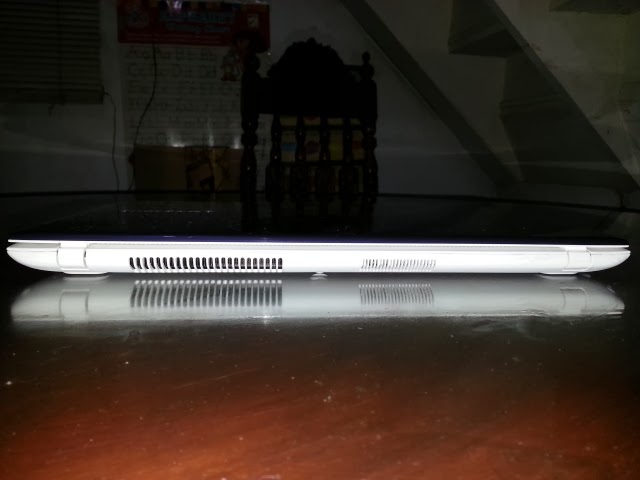
Airflow out
Right Ports
Left Ports
User's View

Before I bought this Samsung laptop I tried researching first some reviews about it but found none. That is why for the sake of the consumers here is my personal review of this product.

Hardware
Aside from having a third generation Intel i3 core processor (3120M), 4GB of RAM, 1GB of switchable Graphics, and a 14" matte finish screen, the next thing that I got attracted to was the internal hard drive of 1TB, or in other words 1,000GB of storage. Being always conscious about storage space, ever since I got used to the habit of conserving due to my old eMachines Netbook of only having 160GB, I won't be worried about it for quite some time now.

The design of the cooling system is quite better than the other choices. If you will notice the exhaust fins are at the back part instead of having it on the sides. This also gives the laptop to breathe more when you place it on a bed while typing or on a pillow, just like the design of Macbooks.

The screen size is just enough for viewing documents and texts. The matte finish is excelent especially when ambient light is high.

The keyboard keys are well spaced but i found the touchpad in a not so good position. My palms accidentally lifts the pointer somewhere else in the screen which is quite annoying when you are on heavy typing job.

The laptop's frame is made of plastic making it lighter but also making it feel cheap. And the white color gets other people think that its a Mac.

The 1GB graphics card helps a lot especially while playing 3D games like Black-Ops Modern Warfare.

The mostly used socket for me is the HDMI and the VGA port. Other things are quite mediocre.

One lacking function is the monitor off key which is handy when projecting the image on an external Television. This is a little bit annoying when you are watching a movie on a big screen and the laptop screen is also displaying it on its screen. Not a major concern but quite a bit for me.

Software
Having Windows 8 pre-installed is not a comfortable thing for me. Aside from myself being new to the Operating System, there are many things that are lacking as compared to Windows 7. One example is that the device drivers for printers are not yet available for Windows 8 which is quite a hassle. The Windows 8 apps which most of them like Mail, Skype, and Dictionary, are pretty slow as compared to the Desktop versions. It gives the impression that Microsoft is trying to be like Apple, simple & straightforward. And the Windows updates are killing time during restarts. And there are some programs that cannot be installed maybe because the system is already running on a 64 bit platform.

The only thing that is an advantage is that the sleep function is quick in terms of wake-up and putting it to sleep instantly by just closing the lid.

Performance
This laptop's performance is great in terms of the average daily tasks which multiple files and windows are open simultaneously. HD playback is a breeze especially the 1080p movies with DTS audio format. When using an HDMI cable and using my 32" LCD TV, watching HD movies are more enjoyable.

I have no problems in gaming since the laptop automatically switches its graphics to the 1GB external video card, so no frame by frame movement can be observed.

I also use video editing software like Adobe Premiere and video file conversion software like Xilsoft. There are no problems encountered whatsoever.

The major downside are the lack of device drivers and a horrific Windows update experience.

With 1 TB of storage, a fast processor and enough ram to use for major tasks, overall its a laptop that is worth buying.


Posted via Blogaway

Sunday, September 9, 2012

Philips SHL8805


I bought this pair of headset way back in 2011 when my wife was looking for another item to avail of SM's 6 months 0% interest installment option if your items to purchase is worth at least P5,000. I was looking for an item to fill the gap of P2,500 and what came to my mind was a pair of high quality headset.  This one came with a bang since it costs P2,990.00.  The main reason I chose this one is because it is the only headset in SM's Music Store that has a remote control.  The other choice was Audio Technica but it didn't have the remote feature.  Also, this Philips headset sounds almost completely the same as with the Audio Technica counterpart.  The black variant was much cheaper but unfortunately there was not one available so I was forced to just pick this white one instead.

The unit came with a 1.2m cord and the jack was gold plated (I think).  But the important thing for me is the bass and I find it quite strong as compared to some Senheiser headsets.  But the Monster Beats headset is one notch superior.  As for the midtones and the high ones are quite decent enough to hear what you don't normally hear from some earphones.

I also find it quite comfortable to wear but prolonged use makes your ear feel like a Munchkin. The reason is that it's just an on-ear type so it kinda squeezes your ears a little. Its also not difficult to store since you can twist both the left and right earphone to make it flat, perfect for storing in your backpack.

This one never failed to amuse me except for the white color which makes it quite flashy & makes it look like its more expensive than how it costs.

Saturday, July 17, 2010

Headphones

Choosing the right type of headphones is quite gruesome sometimes.  If you are an audiophile you would opt for a more expensive one like Bose, Senheiser, Sony, or Shure.  But if you have nothing to spare for these expensive types, you would ought for cheper ones found in stalls inside the malls or even Green Hills.  But what about CD-R King headphones?  Since we have an internet shop we already bought a dozen types.  The first ones that I have bought were just the standard P60 type.  But it turns out that after just weeks your P60 is gone.  The material used was very cheap that it will easily break and the copper wires are so thin that your nose hairs are thicker and more durable.  But the P150 types are quite sturdy and lasts for at least a month. The latest headsets that we bought were the neckband types since there were no more headband types with  the linen ply all over the wires.

Well, it depends on how you will use it.  We opt to buying the ones which have linen thread surronding the wires thinking that they are durable looking compared to the ones which only have rubber wires.  The ones that lasts more are the neckband types.  As for the headband types the usual point of breakage is the part where you adjust the band depending on your head size.  Also, the wires that are found just beneath those adjusting headband types easily break when it is oftenly adjusted.  While on the necband type, there is'nt anything to adjust so the wires beneath the band are untouched.  Our last batch of headsets are the neckband types and it lasted for 10 months already.  It looks like that CDR-King headphones improved their design which made the quality of their headsets quite sturdier than before.  But of course the quality of audio isn't that good compared to the high end types but they are enough for a Skype conversation and Youtube videos.

Saturday, June 5, 2010

Don't Worry, Know the Warranty

As on my previous posts, I have mentioned that I have two MSI Motherboards that failed.  These are 2 out of 10.  Thinking that the boards are no longer covered with warranty, since PC Express claims that there is only one year warranty for MSI motherboards, I tried to see what was really wrong with these boards.  There were no signs of burn marks, damaged components or anything.  I lost hope and thought that there will be two PCs in our shop with no motherboards.  One day I mentioned the problem to one of my officemate, who happens to also have a computer shop.  He told me that most of the motherboards have at least two years of warranty.  He suggested to look for the official distributor and call them to double check if the one year warranty that PC Express claims is valid.  So I did looked up in the internet and found in MSI's website that their official distributor in the Philippines is NetEssentials and their office is found in 8th steet along Boni Serrano which was quite near our office.  According to them the warranty of MSI boards is 2 years.  To my surprise, I jumped for joy!  My Mobos are still covered!  The following day I hurriedly brought the two boards to NetEssentials.  They did the necessary inspections like the one I did before, looked for any burn marks, damaged components, and the sticker with the serial numbers.  After been visual inspected, they gave me a slip and said that I can follow-up the status of the boards after 3 working days.  It took 1 week before the boards were replaced with new ones.  They said that the problem was the on-board graphics.  Although its been a week, it is better to have them back than not having them fixed or replaced at all.

This has been a lesson to me, that before having your device or any other electronic appliance or gadget repaired by yourself or an outside technician, know first if it is still covered with warranty.  Some brands let their products carry an international warranty.  This means that if you bought it from someplace else like Singapore, Hong Kong, or even in the US of A.

One of my experience regarding the warranty is repairing my 2nd Generation iPod.  After failure to repair it I delegated it to the Mac Center in Megamall.  After having it shipped to Singapore I found out that it was still under warranty with only a few days left for the warranty to expire.  They could have replaced it with a new one if it not I have opened it.

Recently, my boss asked me if I can fix his HP Netbook since it won't boot up.  My advice is to contact HP first and know if it is still under warranty and have them fixed it instead of me.  After one day he endorsed it to HP and they repaired it since it is still covered with warranty.  Unfortunately, HP will have to format the hard disk and reinstall the system including the OS.  Bummer.

So if you have a defective gadget, Do not worry, know the warranty!

Wednesday, June 2, 2010

I'm Officially a Symbian User

I am writing this to declare that my O2 XDA II Mini is officially dead.  It died when my wife accidentally dropped it in the toilet bowl.  I attempted to revive it but after a couple of disassembly-assembly and a bit of visual inspection(Just to see if I have a darn talent in fixing such kind of devices) it no longer showed signs of life, so I declared it as totally unusable.  Well, this is bad news for my wife since she was the one who inherited it.  Anyway, since I currently have 2 cellphones that I am using, now I have to choose which one of them should I give her, my Nokia E90 or my HTC Touch Viva.

Beforehand, before it was flushed-up, I already have a clue that the O2 wouldn't last that long so I have already decided that I will give her my HTC Touch Viva and will live with a Symbian based E90.  Although I am having second thoughts since the Viva is very much useful to me especially the dictionary and the MS Office programs.  But anyway, I still gave it to her.  I thought to myself that the HTC Viva is too much for me.  The applications that was installed in the Viva were no longer used for the past couple of months except for the dictionary and the MS Excel.  So I just let it go.

The E90 have a battery problem, aside for the fact that it doesn't last for a day the battery itself is already bloated.  So I went out to buy a replacement battery and also unlocked the E90 since it was tied up with Globe. I am a die hard Sun Cellular user.

I installed some apps from the Ovi store and upgraded the firmware hoping that it will boost-up in speed since it only had a 300MHz processor.  The Ovi app store is not that appealing compared to the iTunes App store.  I have limited choices and didn't even found a dictionary application.  Good thing that I have downloaded a software from this Indian guy named Vikrant and have it installed.  What I don't like about it is that it's quite heavy in the pocket.  That is why I also bought a special belt-clip for it.  But on the bright side I already got used to this phone and have enjoyed using it ever since.  I type faster especially when texting.  Slowly I am liking the feel of the Symbian S60 software.  Although opening applications takes quite some time but I am able to manage.  Besides, the reason I choose this is to simplify things and it did.

Thursday, May 13, 2010

K9NGM4 MSI Failure Analysis

When I looked for a motherboard for our internet shop I was thinking for a sturdy and reliable mobo to last until all the PCs are paid up by the revenue of the business. The first thing that went through my mind is ASUS since the company has been in the motherboard business for years already and they have less negative feedbacks from users. But upon the moment of purchase I was warned by one of the PC Express technicians that the ASUS mobo that I wanted was not that sturdy and they are experiencing some installation problems with it. I was buying an AMD processor and there was only 1 ASUS mobo available for AMD processors. So I asked the store what do they recommend instead in replacement for the once thought to be reliable ASUS. And there came in MSI as their recommendation. There were a lot of MSI models for AMD so I asked for the one that gave the best on-board GPU since most of the in demand games at that time were not graphics hungry most especially the online games.  Besides, if ever the demand for higher graphics came then I will just buy external video cards to go with the gaming niche. So they gave me the MSI K9NGM4 AM2+ Socket Motherboard.  But a year has passed and 3 out of the 10 MSI mobo that I bought  has gone down the drain.

The first one that failed was brought back to the PC shop to take advantage of the warranty. The failure mode is that after some time of usiage it suddenly turns off. Then as days go by after that symptom it only took minutes or seconds after boot up then without warning the entire system will shut down. After two days of waiting PC Express then decided to return the Mobo to MSI as they cannot see what is the cause of the problem. Then after two weeks MSI simply repaced the mobo with a new one which was a relief to me.

Another problem encountered on another unit is that the mobo cannot bring light on the VGA port. The fans are rolling and the LEDs are blinking but there is nothing on the LCD display. This keeps on happening everytime you push the power button. After some disconnection of peripherals and system components you will finally see the start-up logo and  then an error message in red font saying something about overclocking failure. Then the system will be back to normal.

And the latest problem that I encountered was that the unit cannot power up. After several attempts to power it up only 5% chance that the system will go up. Just recently there was no power at all after almost a hundred presses on the power button. It seems that the unit suddenly died on me.

I'm still packing the dead PCs and have PC Express do their own assessment on the problem. I hope that they can fix them or else I will have to replace them with a new one preferrably other cheaper brand. The last board that I bought was an ECS which has the advantage of a 3-year warranty. Now that is a very attractive deal for a cheaper choice. So if you will buy a rig today or in the near future I hope that this will help. You should consider your options carefully.

Thursday, April 8, 2010

Modern Warfare 2


Since I started buying gaming rigs for our internet shop I was hooked on playing Activision's Call ofDuty -Modern Warfare 2 developed by Infinity Ward. This is the sequel from the first Modern Warfare which I did not had the chance to finish due to the lack of time and lack of a video card since the first batch of PCs were bought without it. Anyway, I was glad to purchase new workstations with NVidia 9400GTand 9500GT giving me a good reason to devote some time into gaming. As for the newest Call of Duty series which is the one I am reviewing. Please take note that I am just an average gaming guy whom cannot even get a hundred lives out of that darn turtle from Super Mario. But with regards to first person shooter games I can say I'm a bit above the average since I am a Counter Strike veteran. I sometimes but not most of the time top on the terrorist list when the "Tab" key is pressed, if you are an SF or CS player then you know what I mean.

First impressions with the game is that its quite apealing with the green radar type communication spreading from one place to another like intelligence networks, and the explanations of the mission briefings are done while loading the game which is better than waiting in complete silence. It adds CIA feeling on gathering intel with deep undercover high-tech stuff. The beginning of the game is the familiarization of the keys & the function of each. The scene of an instructor teaching new recruits is the background and yourself showing how its done is a good way of learning the commands rather than learning it during the game. Next is when you go to practice your precision & speed by going to the pit where you do some practical shooting. Then after this your mission begins. You start up in Afghanistan where you will be engaged in a heavy gunfire and then will succeed with the next missions.  What I like about this game is that it's not hard to kill enemy troops. The kill percentage is almost the same with left for dead 2 except that in this game the enemy shoots back. In other words you won't have a hard time killing people, unlike Crysis where enemy soldiers are all wearing vests which makes them difficult to take out. The gameplay is good from making decisions and strategizing your way through the missions. You do not need walkthrough notes to finish the mission when you are in Normal mode. You are guided by radio commands and on-screen instructions and things are pretty obvious.  You gotta be aggresive sometimes since enemy troops are quite good at shooting at you.  Anyone who will be trying out this game will surely enjoy the feel and touch of the quality gameplay it offers.

Tuesday, March 30, 2010

Globe Comeback

After months of bragging and a mouthful of bullshit follow-ups, Globe finally allocated some manpower to our DSL line which was devastated by Ondoy.  By the time the technicians started sprouting I never took my eyes off them and even gave them snacks and cigarettes to speed-up the repair.  It seems that the problem with our line is that it was connected to a prepaid slot in their telephone box located near the main road close to our house.  It might be a result of a mixed-up sloppy job made by their fellow contractors who gave way to new subscribers instead of dealing first with the typhoon victims like us.  Anyway, I'm glad that we are back on-line and our mini internet shop was finally back.  Thanks to the "DVJ" guys who went to save our shop from eternal doom.  I just hope that our old customers will come back and enjoy our 3Mbps Globelines connection.

Oh, by the way, I just found out from one of the technicians that PLDT have a different system compared to Globe.  They have a back-up system of somekind where in the event that the telephone boxes are damaged the subscribers are directed to the main server found in their main office.  I wonder if Globe already have this type of system.  Well, I hope they learned from this unfortunate event and that they can have a Plan B instead of relying solely on their no-backup system.

Wednesday, February 17, 2010

Another Window to be opened?

Microsoft just announced last Monday that they will be launching their new Windows Mobile operating system somewhere in 2010 and they are calling it Windows Phone 7.  Reviews from PC World and other tech websites are saying that the OS is quite similar to Microsoft Zune's interface.  I haven't used a Zune before but by the looks of it it's quite attractive.  Many liked the Zune aside from the iPod but majority of users still prefer the iPod or iPhone.  I just hope that this new Microsoft OS is not only for the tech savvy but also for the ordinary mediocre users who hates being technical.  If they are able to do this than they may have an edge in the Mobile business like their PC Windows platform.  Apple's iPhone OS is still the best thing when it comes to usability, while Google's Android OS is best when it comes to the technicalities.  I hope that Microsoft can bridge that gap and give the masses a unique user experience.  To me it still depends on the user's preferences and not the makers.

Saturday, February 13, 2010

As they pronounced it -- "iPad"

I was never a fan of Apple products but I do appreciate their innovative ways both in technical and marketing.  Recently Steve introduced to us the new iPad as they call it (In Filipino it still sounds like an iPod).  I have reviewed their specifications and what amazed me is the battery life that they claim can last up to 10 hours of continuous use.  For me that is a breakthrough in mobile computing.  Although other companies claimed to have a battery life this long, like Dell, but despite the fact that it's a hybrid between a computer and a multimedia device you wouldn't expect something like this coming.  Most companies are souping up their devices with almost all the features that their devices can provide but the common problem is the same and that is the battery life.  I do not see much of a development in this area of Engineering but what I think that Steve did was that he removed some features that are major battery drainers like the Flash capability which he claims that is a very efficient battery drainer.  Although flash is widely used in the internet most especially video sites like Youtube and also game sites like Y8.com, I'm not sure what can we expect from this device. 

But I think that simplicity is King and I guess this is another general niche that Apple has entered and I have the feeling that they will dominate.  The way they design their devices is that they thought of it thoroughly that everybody, and I mean anybody who would get hold of it don't need to be a rocket scientist to operate it and perform what it's intended to do.

Wednesday, December 9, 2009

My Globe, My Worst!


Even before the wrath of Ondoy, Globe has been giving us problems with our internet connection which affected our Internet Business.  And after Globe’s network was devastated by the storm it became even worse.  It’s almost four  months already and still there is no internet connection, I think this is already out of the line.  Until now Globe is still unresponsive with almost a hundred complaints that we deposited in their Customer Service Hotline.  Every time we call 171 the same bunch of questions is being bombarded to us.  It seems that they have no record or something of what is happening with their subscribers.  I hate to say this but it gets to the point of being pissed-off rather than sympathy to the only ISP that we have.  They gave us a letter promising us that everything will be restored on or before November 30, but still even a hint of activity cannot be seen from Globe.   If only that we have other choices like PLDT or Sky Internet in our area then probably Globe will no longer be in our vocabulary.  Business is Business, but I think Globe is really minding their own Business this time and continuously ignoring their subscriber’s businesses.


Another thing that makes us angry is sooner finding out that there are new subscribers in our area which got their landlines in a zip while we, the old subscribers, are trying to survive with a piece of landline that seems to be useless.  They even have the guts to distribute catalogues and pamphlets offering DSL services in our area.  What a big insult to old subscribers.  If I would score Globe from one to ten, then probably I will give them a negative 100.  I hope they read this article and do something about their scrappy service.

Tuesday, December 1, 2009

My Netbook OS Search

My EeePC is my personal miniature PC that resembles much closest to my 14" notebook.  Although it's keyboard is tiny I can still manage to touch type.  I resorted to Linux as my OS since this is virus free and is as fast as Windows XP during operation.  I installed Easy Peasy from the Ubuntu for netbooks project.  It works just fine before until I got my Sun Wireless Broadband.  I have difficulty having the Huawei E1550 to work in Linux.  That is why I opted for other stable but light Operating Systems built for netbooks.  First I upgraded the Easy Peasy to the latest version thinking that the upgraded version has fixed the compatibility problems with new devices such as the Huawei E1550.  Although the modem worked sometimes, it really is quite a dissapointment sometimes when the OS couldn't recognize it properly.  So I decided to go back to Windows.  I looked for a lite version of Windows XP on the internet and downloaded a copy just to see how it would work on my device.  But it seems that the installer was so stripped down that it cannot install the Huawei modem sucessfully.  That was the point that i decided to try Windows 7 on my netbook.

The installation took overnight (because I have fallen asleep during installation) and by the morning the set-up was done.  My first impression is that it is kinda slow, but to think that this is a netbook then that would justify it's slowness and besides I installed the Ultimate edition.  The OS automatically disabled the aero thing to catch up with the processor speed and that kinda gave me the idea of disabling them all.  I optimized the performance by disabling effects and used the old traditional Windows theme.  There was a significant improvement in the performance and I am seeing improvements as time progressed.  But there is one more thing that needed to be tested before the OS would satisfy my standards, that is to play Youtube videos without skipping.  At first I connected to a nearby Wifi hotspot and typed the Youtube URL in the built-in Internet Explorer.  There were a bit of skipping on the beginning scenes but the movie went smoothly as soon it got loaded.  It's kinda fair already and it seems that it is the OS that I need, not until I tried my Sun Broadband Wireless USB modem.  It seems that Internet Explorer and Firefox kinda have noticable lags upon launch and the Youtube videos were no longer playing the same way when I was connected to a Wifi hotspot.  That made me decide to switch again to another OS, but now I decided that it would be Windows XP since this is the most stable OS that Microsoft built since Windows 95.  Besides, only XP drivers are available in the ASUS support website.  After a gruesome ground zero installation, finally I got the OS that I want for my netbook.  I had no problems with the internet connection since Wifi and SBW works fine in this old Microsoft OS.  And for unwanted viruses and malwares, I installed Deep Freeze so when my system is penetrated I just restart and everything goes back to the first installation.  So I think I'm going to settle myself with this OS and begin my work and leisure in complete harmony.  No more lagging Youtube videos, and hardware incompatibility.

Wednesday, November 11, 2009

SUN rises after the Storm


It's been a while since my last post and it is just now that I have got hold of my laptop.  It has been a busy month after the wrath of Ondoy most especially during the weekend.  We have fixed all our things and thrown away all those that deemed useless to us.  Our small internet shop was also affected when our service provider was unable to serve us up until now.  It was just week when Globelines showed signs of life when the dial tone was again present and the DSL line was a bit alive.  Until just now it went dead on us again without a dial tone and our beloved DSL internet connection.  We have been calling their service hotline ever since the flood water went away and it's really hard to get past those very long announcements and voice promts.  They always say that they are doing their best to restore all broken lines and will be done before November 30, 2009.  But the damage has already been done, our internet shop suffered major losses just like the ongoing global economic downturn.  That is why I opted for other sources of internet connection like Sky Broadband and PLDT.  Unluckily neither of them were offering services in our area.  Good thing that there was SUN Wireless Broadband that was just hanging around.  I thought that it was not possible to have a USB wireless modem to become the internet source of our shop until I discovered the power of ICS or Internet Connection Sharing built-in Windows 7.  It is also available in Windows 2000, XP and Vista but our main server PC was running on Windows 7 so it was an opportunity for me to learn this old technique when dial-ups were still dominant.  And the good thing is that SUN offers a cheaper unlimited data service compared to Smart and Globe.  Also SUN's 3G service is quite abundant in our area even in the deepest parts of our house, the comfort room.  Although it offers speeds up to 2Mbps, having it shared to more than 10 PCs makes it's status to just being a back-up rather than the main internet provider.  I am still hoping that Globe will fully restore their system before I finally make the decision to let them go and search for another permanent provider.

Saturday, September 19, 2009

Back to you (Sony Ericsson T200)


It's already a week now without my HTC Touch Viva, I returned it for repair since it lost it's Camera function for no known reason.  That is why I resorted to using my old phone, the Sony Ericsson T200.  It was the first of it's kind (I think) back then when Ericsson and Sony merged to have a multi-purpose, multi-functional phone.  It was launched years back when Globe Telecom offered free mobile internet through GPRS service.  It's still in black and white LCD but has a better resolution compared to it's Nokia colleagues.  And just like my other devices it was used appropriately to its full functionality.  The good thing about free internet is that you can have it anywhere, anytime.

After using it again for a week it seems that it got me closer to my love ones most especially my wife.  Since Globe's GPRS service is no longe free then it left me with one of the basic functions of Philippine mobile phones, the SMS message.  I always text my wife to ask how she is and tells her what's on my mind.  Good thing I'm now a SUN Cellular subscriber I don't have to worry about diminishing load.  This made me think that the leaving you empty handed in functionality makes you more closer to your family.

Sunday, September 13, 2009

Sony DSC-H5 Subic Pictures

Last week me and my family went to Subic for a vacation and I had a chance to borrow my Dad's Sony DSC-H5 to take some amazing pictures of the flying dolphins and the crouching tigers.  He bought it a couple of years ago somewhere in Hong Kong.  It is not an SLR camera but it did captured amazing shots since it has a 12x optical zoom to take a closer look at distant subjects.  And thinking that this is a H series then I believed that it is easy to operate and quite heavy on features.  It already has a built-in flash so you don't have to carry a separate one.  Below are the sample amateur pictures that I took.


Thanks to it's Super Steady Shot Optical Image Stabilization shot mode I have no hard time capturing those fast subjects.  Animals tend to move fast so you need a fast shutter and a lens that allows more light to have a brighter picture.  That is why the Carl-Zeiss lens is a superb main component in this digicam.  I just set the settings to Auto Mode since I have no time to browse it's built-in scene modes and I do not have the user manual with me.  Amazingly everything went fine and I felt like I'm holding a P200+ high quality camera after reviewing the pictures that I took on it's 3 inch LCD.  Some shots were taken with less than the maximum pixel rating of 7.2Mega Pixels to utilize Sony's Smart Zoom function.  Sony's digital zoom is the only digital zoom that I know that do not distort pictures compared to other digicams.  This camera is an entry level camera for those who knows nothing about taking pictures.  For me, this is the best camera that I got hold of.

For a complete review and full specifications of this camera visit the link below.
http://www.steves-digicams.com/camera-reviews/sony/dsc-h5/sony-dsc-h5-review.html


Sunday, September 6, 2009

Vista Slowly but Slower

Recently my friend asked me to copy some action movies into his Sony Vaio VGN-P688E, the one that I have reviewed a month ago.  I told in my review that Sony has just won the Vista lottery, but now I retract my statement.  After a month of usage Vista seems to degrade in performance.  Maybe because of the anti-virus that was installed and other connectivity managers like Nokia's PC Suite.  But despite these, I haven't experienced this type of slow down on XP or in Windows 7.  I also had another friend who is also a Vista user and attests on my comments about Vista.  It seems that Vista is Microsoft's Black Sheep and this one's not doing what it's parents are telling it to do.

Vista is a no-no for me from the moment that it was launched and I guess that will never change.  I just hope that Windows 7 will not exhibit the same thing when installed in netbooks.

Wednesday, August 19, 2009

High Definition - My Way

It's a good thing to have a PC around.  The almost all purpose device that we unconsciously use at work and at home.  Last night I just watched a movie in High Definition using my Asus A8He Laptop PC but instead of using the laptop's built-in LCD monitor I used the LG 42LC4R LCD TV instead.  And guess what?  The result is Spectacular! I say goodbye to the dream of having a costly Blu-ray Player since I already have my multimedia power house. The audio is fed into my CD-R King FM Modulator and into our Sony Stereo set. Not only you have a full detailed movie you also get a bass rich sound experience.

The LG 42LC4R displays rich colors and deep black content.  It has a contrast ratio of 8000:1 which is already good compared to other brands with the same dimensions.  It has a standard aspect ratio of 16:9 and with the dimensions 685.5 x 1032.7 x 88.5 mm.  It's color is piano black and is quite attractive and elegantly presentable.  I removed the stand since it came with a free wall bracked plus a free installation.  The wall bracket can enable the TV to tilt up or down but not sideways.  Maybe its because of it's viewing angle of 178 degrees since it already uses the S-IPS technology.  Refresh rate is 5ms which makes this fair enough to use for gaming.  With it's 1366 x 768 resolution this is comparable to its smaller brother LG W1642S which was posted just recently but this one has a brightness of 450cd/m2 and obviously weights heavier at 20kg.  Another thing that made it stand out is LG's 2007 XD Engine with 3D comb filtering.  It is 1080p ready but have'nt tried using it through the HDMI interface since I don't have a player with it yet.  Aside from the two HDMI inputs it also have S-video, VGA, Composite video, and Component video inputs.  As for the meantime I am using the VGA input so what appears on my Laptop screen has exactly the same resolution on the LG TV.  This makes this TV panel as my second monitor. 

This TV set introduced me the beauty of High Definition movies by playing MKV movie files using KM Player software.  But like other 42 inch LCD panels this one costs pretty high but not higher compared to other brands.  Good thing that the LG 42LC4R was given by someone who have much to spare.

Sunday, August 16, 2009

LG W1642S LCD Monitor Review

Just bought a new LG W1642S LCD Monitor today in PC Home in Market-Market Taguig.  This will be used on our old Pentium II 233MHz PC that was bought way back in 1997.  I have revived the old fella since our Internet Shop is running out of workstations.  It will be used as a server to run the Cafe Manager Software that I acquired last month.  I just hope that it will last longer since it's past beyond its lifetime.  And if it will die on me then I am forced to buy another workstation to accommodate our increasing number of customers.

This monitor is not the best monitor available in the market.  The main reason that I chose it is because it's one of the cheapest and it is being offered for 0% interest for 6 months.  So it won't be a big bang on the budget.  Another thing is that it has lower ampere rating compared to other brands which made me think that it will consume lesser power even though I did not brought a power meter with me.  Among other choices are AOC and Acer but I chose it because of it's brand.  No offense to Acer and AOC but I already bought 10 of these LG's before and so far I have no problem with them.  I oftentimes opt for products that I have already tried and am afraid to try new ones thinking that I can't afford to do a trial runs.  Aside from this is that our LCD TV is also from LG.  That gets me to think that LG should reward me for being loyal to them.  Anyway, the LCD Monitor that I bought has only a resolution of 1366x768 which makes it a widescreen and it's diagonal size is approximately 15.6".  It's pixel size is 0.252mm with a contrast ration of 5000:1.

It is not ideal for gaming but after trying Special Force and Crazy Kart on these LCD's it gives you decent enough resolution to throw a flashbang and making sharp turns.  It is quite good when it comes to Internet Surfing but it would be better if it had a taller headroom.  Good thing that it does not have one of those glossy screen like the ones installed in cheap laptops so you won't see yourself when the gaming scene is pitch black.  One annoying thing is the power button which has a blue glowing LCD when the status is on. Although you loose to notice it after some time on using it.  The LCD turns orange when the PC is turned off or if the panel is not receiving any input signal.

So far so good, this LCD is worth the buy and is one of the cheapest available. But if you have more money to spare then better get yourself a bigger screen.

Saturday, August 15, 2009

Free Stuff Under the SUN

Due to the current economic crisis a lot of belts have been tightened and some businesses are closing. Retrenchment is still haunting employees everywhere. But despite all these we strive to lessen our expenses so we can still thrive to live normally. For the tech point of view there are still things that you can get for free like mobile internet.  Aside from the free Wifi services being offered in restaurants and coffee shop you can access free internet usage using your Java capable cell phone, and a SUN prepaid SIM card with a load less than P10.  I heard it from one of my colleagues and I thought it was just a hoax until I tried it myself.  You can be online wherever you go as long as there is a cell site around.  Well this is a fun thing that doesn't cost a cent.  The speed is quite decent and I do not expect it to be fast using my HTC Viva since it is only a GPRS/EDGE phone and has no 3G.  But it is enough to view my non work related emails and blogs.  This is a cheap way of being online under the SUN.